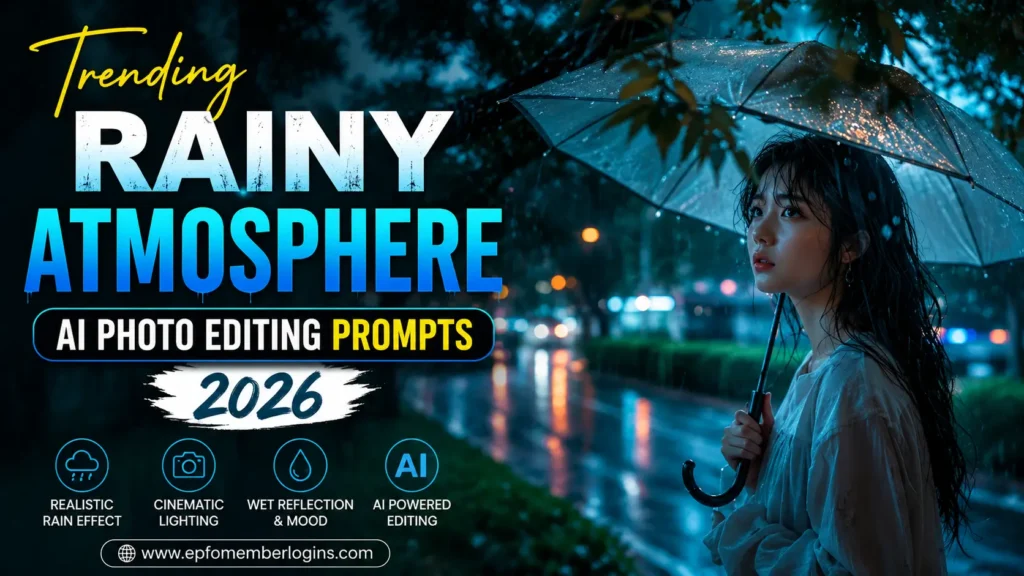
Trending Rainy Atmosphere AI Photo Editing Prompts 2026
Rain has always been one of the most beautiful elements in photography. It creates a dramatic mood, adds natural reflections, and makes even a simple portrait look cinematic. In 2026, Rainy Atmosphere AI photo editing has become one of the hottest trends because AI can now generate incredibly realistic rain effects, glowing lights, mist, wet roads, and emotional lighting in just a few seconds.
Whether you’re a content creator, photographer, influencer, or someone who loves creating aesthetic images, Rainy Atmosphere AI prompts can help you transform ordinary photos into professional-quality artwork. Instead of spending hours editing in Photoshop, you simply describe the scene with an AI prompt, and the AI generates an impressive image automatically.
From romantic rainy streets to moody forest portraits and neon-lit city scenes, these prompts allow you to create unique visuals that attract more attention on Instagram, TikTok, Facebook, Pinterest, and YouTube thumbnails. If you’re looking for the best Rainy Atmosphere AI Photo Editing Prompts in 2026, this guide has everything you need.
What are Rainy Atmosphere AI Photo Editing Prompts?
Rainy Atmosphere AI Photo Editing Prompts are detailed text instructions that tell an AI image generator exactly how to edit or create an image with a rainy environment. These prompts include information about lighting, weather, facial details, clothing, reflections, camera settings, colors, background, mood, and artistic style.
Instead of editing photos manually for hours, you simply enter a prompt into an AI tool. The AI automatically adds realistic rainfall, cloudy skies, wet streets, cinematic lighting, and dramatic effects while keeping the subject natural.
These prompts work well for portraits, travel photography, fashion shoots, romantic couple photos, street photography, and aesthetic social media content.
Why are Rainy Atmosphere AI Photos Popular?
Rainy atmosphere edits have become incredibly popular because they create powerful emotions. Rain naturally adds feelings of peace, mystery, romance, nostalgia, and drama, making every image more engaging than a normal portrait.
Another reason behind their popularity is their cinematic appearance. Wet roads reflecting colorful lights, dark clouds, glowing street lamps, and realistic rainfall create scenes that resemble professional movie posters. These edits instantly grab viewers’ attention while scrolling through social media feeds.
Content creators also prefer rainy edits because they usually receive higher engagement. Eye-catching visuals encourage users to stop scrolling, increasing likes, comments, shares, and saves. This makes rainy atmosphere images an excellent choice for influencers, bloggers, and digital artists.
Also, try: Happy Birthday Wishes AI Photo Editing Prompt | Boys & Girls
Best Rainy Atmosphere AI Photo Editing Prompts
Cinematic Rainy Street Portrait Prompt
Moody Rain Portrait Prompt
Romantic Rain Evening Prompt
Rainy Forest Fantasy Prompt
Neon Rain Night Prompt
Rainy Village Morning Prompt
Luxury Car Rain Prompt
How to Create This Image
Creating a Rainy Atmosphere AI image is simple if you follow the right process.
Step 1: Choose a High-Quality Photo
Start with a clear portrait taken in good lighting. Higher-resolution photos produce much better AI-generated results.
Step 2: Select an AI Generator
Open your favorite AI image generation platform, such as ChatGPT, Midjourney, Leonardo AI, Flux AI, Gemini, Adobe Firefly, or Ideogram.
Step 3: Copy a Detailed Prompt
Choose one of the prompts provided above and paste it into the AI tool. You can also customize details like clothing, lighting, weather intensity, location, camera angle, or color grading.
Step 4: Generate Multiple Versions
Create several versions of the image instead of stopping after one attempt. Small prompt adjustments often produce significantly better results.
Step 5: Enhance the Final Image
Use AI enhancement or upscaling tools to improve sharpness, increase resolution, remove imperfections, and make the final image suitable for social media or printing.
Best AI Tools For Creating Images
ChatGPT (GPT Image)
Excellent for creating realistic AI images from detailed prompts with natural lighting and cinematic effects.
Midjourney
One of the best tools for artistic, highly detailed, and visually stunning AI-generated portraits.
Leonardo AI
Perfect for realistic photography, fashion portraits, fantasy scenes, and professional-quality images.
Google Gemini
Offers fast AI image generation with accurate prompt understanding and realistic outputs.
Flux AI
Known for producing highly realistic portraits with impressive lighting and detailed textures.
Adobe Firefly
Ideal for professional designers who want AI-generated images with Adobe’s editing ecosystem.
Ideogram AI
Great for realistic images that include clean typography and creative visual styles.
Microsoft Designer
A beginner-friendly AI design tool that quickly creates attractive visuals for social media.
Common Issues While Creating an Image
Tips For Better Results
Conclusion
Rainy Atmosphere AI Photo Editing Prompts have become one of the biggest AI photography trends in 2026. Their ability to create emotional, cinematic, and realistic visuals makes them perfect for both beginners and professional content creators.
With the right prompt, you can transform an ordinary portrait into a breathtaking rainy masterpiece featuring glowing reflections, dramatic weather, realistic rainfall, and professional lighting. AI has made this process faster and easier than ever before.
Whether you’re creating content for Instagram, TikTok, YouTube, Pinterest, or your personal portfolio, the prompts shared in this guide will help you produce high-quality Rainy Atmosphere AI images that capture attention and leave a lasting impression.