Watercolor Painting AI Photo Editing Prompts 2026| ChatGPT Prompts
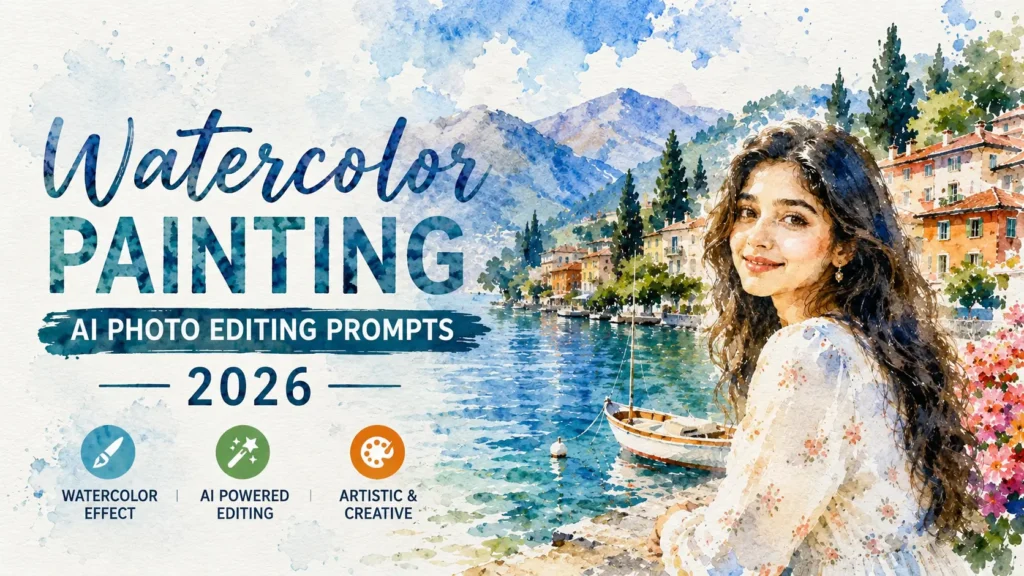
Watercolor painting effects have become one of the most popular AI photo editing trends in 2026. This artistic style transforms ordinary photos into beautiful paintings with soft brush strokes, blended colors, textured paper effects, and a hand-painted appearance.
Whether you want to create a portrait, landscape, travel photo, or social media post, watercolor AI prompts can give your images a creative and professional look. You can find the latest Vikas edit ideas and prompts here.
With the help of ChatGPT and AI image generators, you can create stunning watercolor artwork by simply using detailed prompts. The more descriptive your prompt is, the better the final result will be. Adding details about lighting, colors, textures, and painting techniques helps AI understand the exact style you want.
What is Watercolor Painting AI Photo Editing?
Watercolor Painting AI Photo Editing is a creative process where AI transforms a regular image into a watercolor-style artwork. Instead of looking like a normal photograph, the image appears as if it has been painted by hand using watercolor brushes on textured paper.
This style is known for its soft edges, flowing colors, artistic splashes, and elegant visual appeal. It is widely used for social media content, profile pictures, digital art projects, posters, and creative photography edits.
Why Watercolor AI Edits Are Trending in 2026
The watercolor effect creates a unique balance between realism and artistic expression. Many content creators, photographers, and AI artists use this style because it adds beauty and creativity without making images look overly artificial.
Some reasons for its growing popularity include:
Best Watercolor Painting AI Photo Editing Prompts
Classic Watercolor Portrait
Watercolor Nature Landscape
Watercolor Street Photography
Watercolor Couple Portrait
Watercolor Fantasy Girl
Watercolor Travel Scene
How to Create Better Watercolor AI Images
To achieve more realistic watercolor effects, include artistic details in your prompts. Mention watercolor paper texture, brush strokes, color blending, paint splashes, soft edges, and natural lighting. These elements help AI produce artwork that closely resembles traditional watercolor paintings.
You can also experiment with different themes such as portraits, landscapes, travel photography, pets, fantasy characters, and nature scenes. Combining detailed descriptions with artistic watercolor elements often produces the best results.
Also, check more trending prompts on: Couples Close-Up AI Photo Editing Prompts
Tips for Better Watercolor AI Prompts:
Mistakes You Should Avoid
Many beginners use very short prompts and expect professional results. Watercolor AI editing works best when prompts contain enough detail.
Avoid these mistakes:
Detailed prompts usually generate more realistic and visually appealing watercolor artwork.
Popular Uses of Watercolor AI Images
Watercolor AI images are widely used across different creative fields because they offer a unique artistic appearance. Their soft colors and painted textures make them perfect for both personal and professional projects.
Popular uses include:
Conclusion
Watercolor Painting AI Photo Editing Prompts are among the most creative AI art trends of 2026. They transform ordinary photos into beautiful hand-painted masterpieces with soft brush strokes, flowing colors, and realistic watercolor textures. Whether you are creating portraits, landscapes, travel scenes, or fantasy artwork, detailed prompts can significantly improve the final results.
By using the prompts shared in this guide and adding artistic elements like watercolor paper texture, brush strokes, color blending, and natural lighting, you can generate stunning watercolor-style images that look professional, creative, and visually captivating.